موقع حجز إلكتروني
حوّل أسطولك إلى تجربة حجز بعلامتك التجارية
انشر قوائم المركبات ومعلومات الوكالة والمواقع وطلبات الحجز من موقع متصل بعملياتك.
ابدأ التجربة المجانية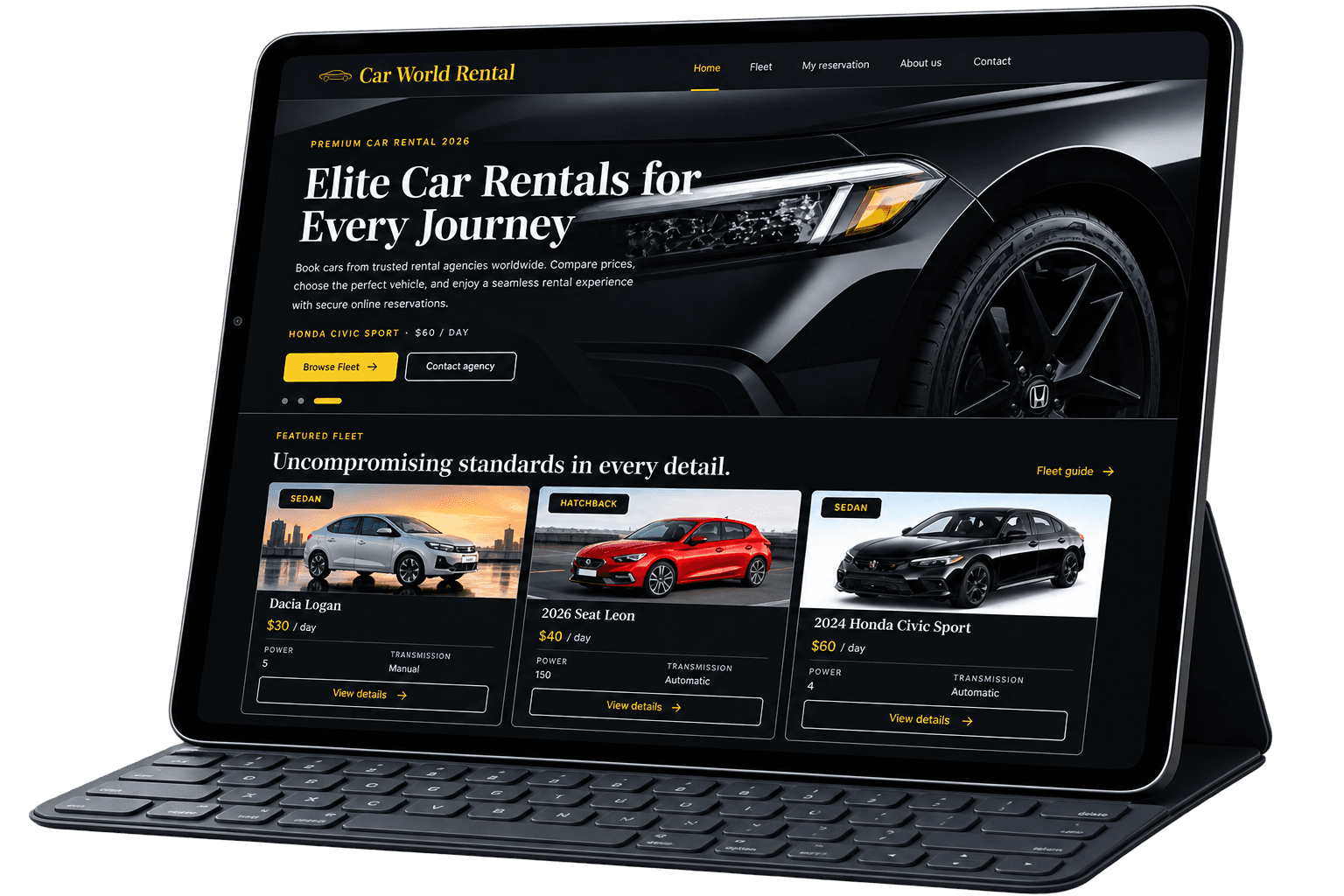
Why Your Online Booking Workflow Makes or Breaks Revenue
For modern car rental customers, your online booking flow is your front desk. If it feels confusing, slow, or untrustworthy, they leave and book elsewhere. A well-structured workflow, on the other hand, guides visitors quickly from curiosity to confirmed reservation while protecting your margins and keeping operations organized.
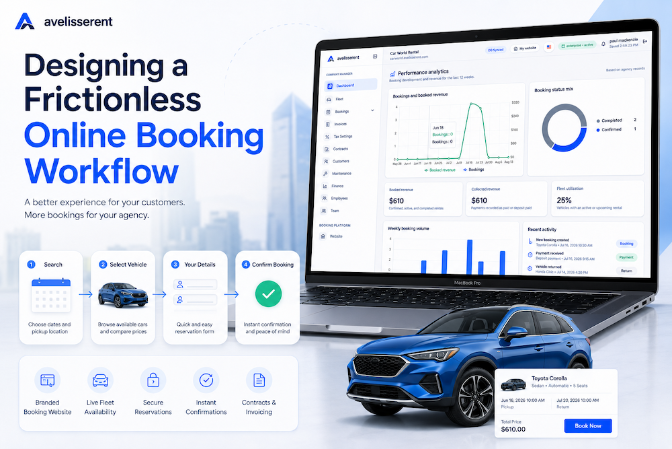
This article walks through how to design a frictionless booking workflow using tools provided by AvelisseRent: branded booking websites, public fleet pages, custom reservation forms, booking management, customer records, invoices, contracts, analytics, and more. The focus is practical: how to reduce clicks, eliminate ambiguity, and collect the right information at the right time.
Step 1: Start With a Clear Booking Journey Map
Before changing software settings, map the ideal steps a customer should take from first visit to driving away in a vehicle. A simple, proven journey looks like this:
- Discover your agency via search or direct link
- Land on a branded booking website that matches your agency identity
- Enter dates, times, and pickup/return locations
- See live availability from your public fleet pages
- Compare vehicles and prices
- Complete a short reservation form and confirm terms
- Receive an instant confirmation email with key details
Anything that adds extra steps or uncertainty between these stages reduces conversions. As you configure AvelisseRent, keep this ideal path in mind and resist the urge to ask for everything upfront.
Step 2: Use Your Branded Booking Website as the Core Funnel
AvelisseRent provides branded booking websites so you do not need to bolt together multiple tools. To optimize this site for bookings:
Make the booking action impossible to miss
Your homepage should answer three questions in seconds:
- Who are you? (Agency name, city/region, vehicle types)
- What can I do here? ("Book a car online in minutes")
- How do I start? (A clear search or reservation form)
Place your primary booking widget near the top. Avoid distractions that pull visitors away from starting the reservation process.
Align content with SEO and intent
Within your AvelisseRent domain/SEO settings, align page titles and descriptions with the search terms your ideal customers use (for example, "SUV rental in [City]"). Direct organic traffic to your main booking page or relevant category pages so visitors start near the reservation step instead of browsing unrelated content.
Step 3: Build Public Fleet Pages That Sell and Clarify
Once customers enter dates, they want to know: "Which vehicles can I actually get?" Public fleet pages in AvelisseRent answer this clearly. Structure them to reduce questions and comparison fatigue.
Group vehicles logically
Instead of a long mixed list, create clear categories such as:
- Economy and compact
- Sedans
- SUVs and crossovers
- Vans and people carriers
Use consistent naming, and keep the most popular categories above the fold so customers see strong options immediately after entering their dates.
Show the minimum information needed to decide
A good fleet listing should quickly answer:
- How many passengers and bags fit?
- Automatic or manual transmission?
- Main features (air conditioning, fuel type, etc.)
- Price for the selected date range
Details like detailed terms, add-ons, or extra notes can appear later in the reservation flow, where AvelisseRent still lets customers review them before confirming.
Step 4: Design Reservation Forms That Do Not Scare Customers Away
Reservation forms are where many agencies lose potential bookings. Too many fields or unclear questions cause abandonment. AvelisseRent lets you tailor your reservation forms to balance operational needs with customer patience.
Prioritize essential fields
At the initial reservation step, focus on what you truly need to allocate a vehicle and contact the customer:
- Full name
- Email (for confirmation and documents)
- Phone (for last-minute changes)
- Pickup and drop-off date/time (already provided in most booking widgets)
- Pickup and return locations, if you offer multiple
Information like driver license numbers or detailed flight information can often be captured later, at check-in or via follow-up communication. Keep initial friction low.
Use clear labels and guidance
In AvelisseRent, ensure each form field label is simple and unambiguous. Instead of "Additional notes," try "Special requests (child seat, GPS, extra driver, etc.)." This increases the quality of the information collected and reduces back-and-forth communication.
Support multi-language customers
If you serve international travelers, enable multi-language agency storefront support to present your forms and key instructions in the languages most relevant to your market. This reduces misunderstandings around pickup locations, fuel policies, and timing.
Step 5: Tighten the Confirmation and Documentation Stage
Once a customer completes the reservation form, the experience is not over. The confirmation stage is crucial for setting expectations and avoiding disputes.
Send clear confirmation emails
Use AvelisseRent email settings to configure confirmation messages that include:
- Reservation number
- Vehicle category and key attributes
- Pickup and return date, time, and location
- Summary of charges and any deposits
- Links to key policies and contact details
Consistency between what customers saw on the booking website and what appears in the email increases trust and reduces support calls.
Standardize contracts and invoices
Use AvelisseRent contracts and invoices to keep documentation aligned with the information captured in the booking. When the same data flows through the system, you avoid double entry and potential errors like mismatched dates or pricing.
Step 6: Use Booking Management to Keep Promises You Make Online
A beautiful booking flow only works if your team can fulfill it. The booking management and fleet management tools in AvelisseRent keep your promises realistic.
Match online availability to real-world fleet
Ensure every vehicle or category on your public pages corresponds correctly in your fleet records. Track which cars are in maintenance, reserved, or available. This prevents double bookings and last-minute changes that frustrate customers.
Keep customer records up to date
AvelisseRent customer records help you store past reservations, preferences, and contact details. When a repeat customer books, staff can see history and provide a smoother experience, such as pre-filling certain data or anticipating add-ons.
Step 7: Analyze and Continuously Improve the Workflow
A booking flow is not "done"; it is an ongoing optimization project. AvelisseRent analytics give you visibility into how customers interact with your online funnel.
Monitor key metrics
Use analytics to observe:
- Which pages attract the most visits but few bookings
- Common drop-off points (for example, reservation form completion)
- Popular vehicle categories versus those rarely chosen
If many visitors reach your fleet pages but few finish the reservation, experiment with simplifying forms, adjusting content, or clarifying pricing information in your website copy.
Step 8: Keep Design Consistent Across Channels
When customers move from searching online to booking, and later to arriving at your counter, they should feel like they are dealing with the same brand at every step.
Customize your website to match your brand
Use AvelisseRent website customization options to align colors, typography, and layout with your logo and offline materials. A recognizable design helps reassure customers they are on the right site, especially if they return directly later to manage or review their booking.
Align messaging between online and offline
Ensure that staff, printed materials, and on-site signage use the same terms and processes as your online booking website. If your site describes vehicle categories or insurance options in a certain way, mirror that language in your contracts and at the counter to avoid confusion.
الخلاصة العملية
A frictionless booking workflow blends a clear journey, concise reservation forms, strong communication, and operational follow-through. With AvelisseRent, you have the tools—branded booking websites, public fleet pages, reservation forms, booking management, contracts, invoices, analytics, and more—to build a streamlined experience from first click to signed agreement.
If you are ready to refine your online booking process and turn more website visitors into confirmed, well-documented reservations, explore how AvelisseRent can support your agency at avelisserent.com.
Connect the Booking Experience to Operations
See how AvelisseRent connects booking and rental operations, learn what to evaluate in car rental booking software, and compare available plans.

Mohamed Elazzabi
Founder & CEO of Avelisse Labs LLC | SaaS & App Developer | Content Creator
I'm Mohamed Elazzabi, Founder and CEO of Avelisse Labs LLC Launching AvelisseRent SaaS platform built to help car rental businesses simplify and automate their daily operations. I create content about car rental business growth, digital transformation, automation, SaaS, and technology, sharing practical ideas to help rental agencies work smarter, reduce manual tasks, improve customer experience, and grow their business. Building smarter tools for modern car rental businesses.