Rental operations
Run daily rental work from one connected system
Coordinate bookings, contracts, invoices, maintenance, customers, and reporting without splitting work across disconnected tools.
Start your free trial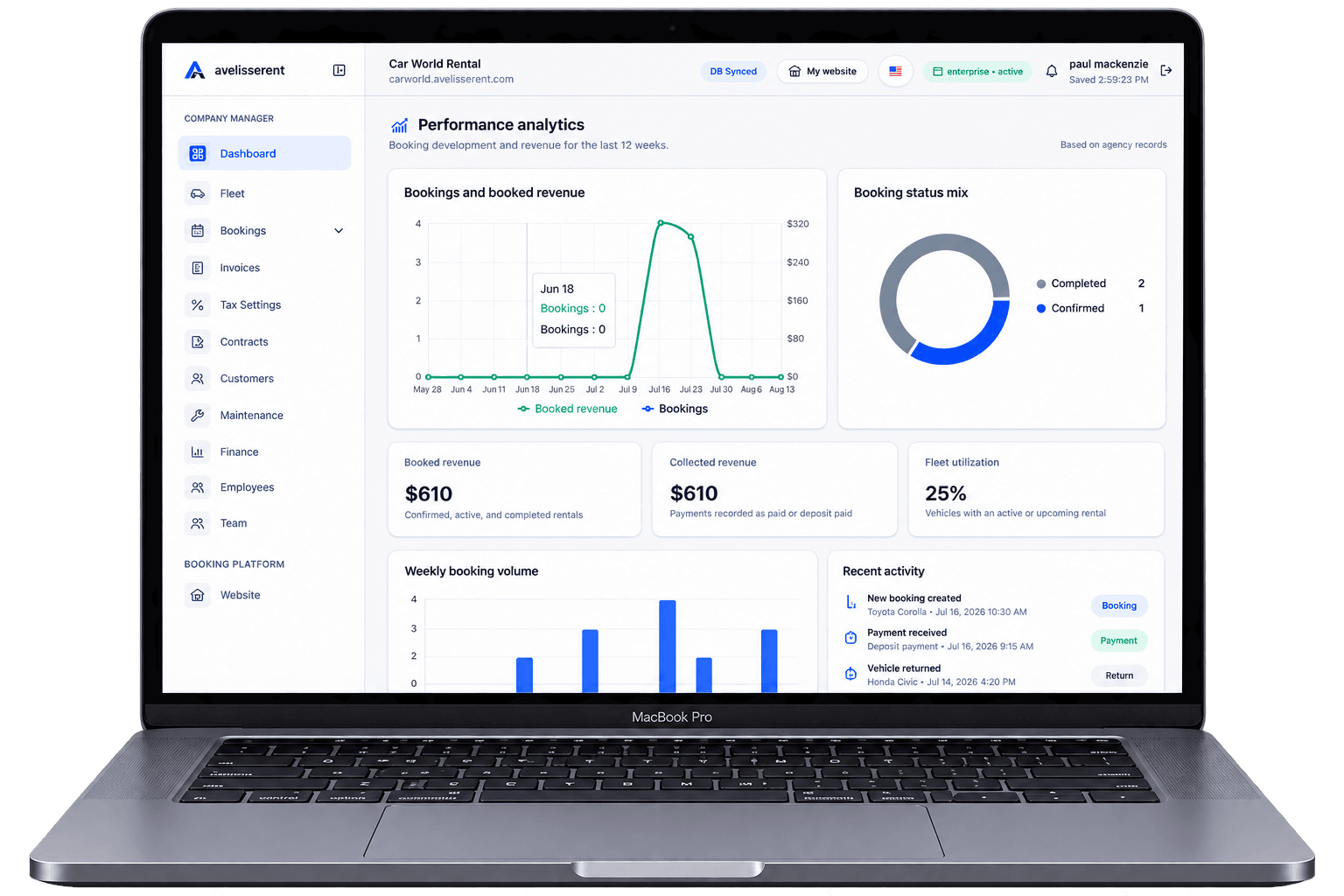
High utilization is healthy for your car rental business – until it starts to hurt customers. Double-booked vehicles, rushed check-ins, and confusing extras can quickly turn a fully booked week into a flood of complaints and refunds.
Balancing operational efficiency with a reliable, low-stress customer experience is one of the hardest jobs for rental owners and managers. This guide breaks down how to run a busy operation that protects margins and customer trust, with examples of how AvelisseRent can support the workflows behind the scenes.
Understand Where Utilization Starts Hurting Experience
Many agencies treat utilization as a single KPI: "How often are my cars out?" In practice, there are several thresholds where pushing utilization higher begins to damage the experience.
Typical warning signs include:
- Frequent last-minute vehicle swaps because the original car isn’t back, isn’t clean, or needs maintenance.
- Pickup delays caused by tight turnarounds between returns and new bookings.
- Staff burnout at the counter from dealing with frustrated customers and constant schedule changes.
- Inconsistent policies around deposits, mileage, and fuel that staff “bend” to fix operational problems.
- More disputes around invoices, damages, and late fees.
To understand where you are right now, review the past 1–3 months and look for:
- Bookings with manual changes (swapped vehicles, moved locations, adjusted dates).
- Peak days and hours when you often run out of certain categories.
- Complaints tied to operations (wait times, wrong vehicle, confusion about charges).
AvelisseRent’s booking management and analytics can help you identify patterns: for example, which pickup slots consistently cause overlaps, or which vehicle groups are over-committed during holiday weekends.
Design a Clear, Honest Availability Strategy
A busy operation depends on how honestly you present availability to customers. Over-promising online and fixing it at the counter is a recipe for conflict.
Segment your fleet by real availability
Instead of offering every vehicle for every date, build an availability strategy around:
- Vehicle categories (economy, SUV, van, premium) rather than specific plates when possible.
- Turnover time buffers between return and next pickup (e.g., 60–120 minutes for cleaning and inspection).
- Maintenance windows reserved for high-mileage cars.
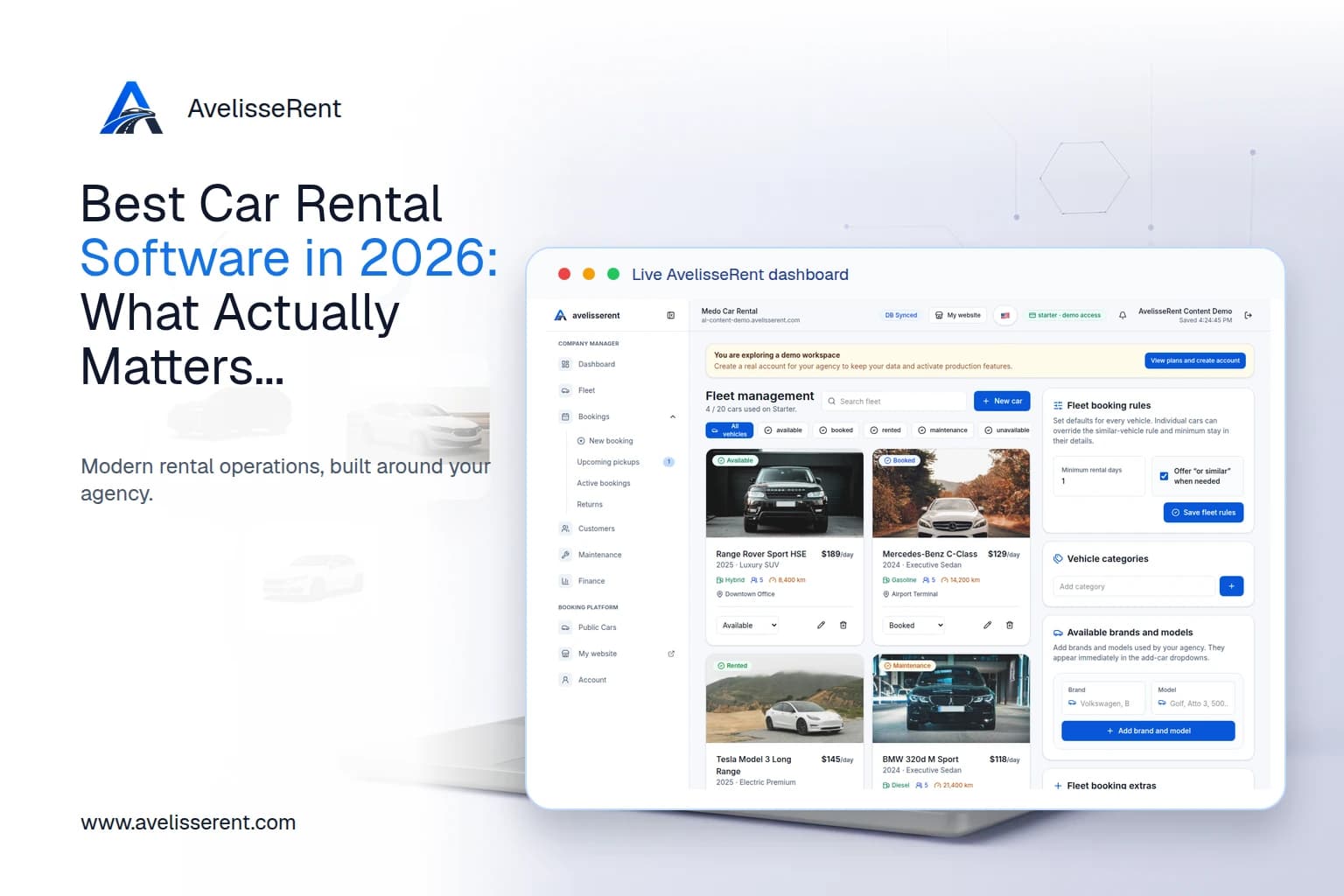
In AvelisseRent, you can manage each vehicle’s status in fleet management and ensure only available, ready vehicles appear on your public fleet pages and booking forms. If a car is in maintenance or reserved for a long-term customer, it simply won’t be offered for those dates.
Show availability and constraints upfront
Your branded booking website should clearly communicate:
- Which cars or categories are actually available for the selected dates and pickup location.
- Minimum rental durations during peak periods.
- Pickup and return hours, including any after-hours rules.
- Key limitations (e.g., young driver surcharges, cross-border restrictions).
Using AvelisseRent’s website customization and booking form tools, you can create reservation flows that adjust available vehicles dynamically based on dates and locations instead of generic "request" forms that overbook.
Standardize the Booking Workflow So Nothing Important Is Missed
Operational chaos often starts at the moment of booking. When essential details are missing or inconsistent, staff have to improvise at pickup, which frustrates customers and slows the line.
Define your non-negotiable booking fields
Every confirmed booking should always include:
- Pickup and return dates and times with clear location details.
- Vehicle category or specific vehicle (depending on your promise).
- Pricing components: base rate, mileage rules, extras, fees, and taxes.
- Deposit and payment rules (how much, when, and how it’s collected).
- Driver information: name, contact, and any age/license requirements.
In AvelisseRent, you can configure reservation forms to capture these details consistently. This means every incoming booking – whether from your website or added manually by staff – follows the same structure.
Lock in prices and policies at confirmation
Many disputes originate from unclear or shifting prices. Avoid this by:
- Always sending a written confirmation with the agreed price and conditions.
- Using standardized contracts that match your website pricing and your staff explanations.
- Ensuring customer-facing totals include mandatory fees so the final invoice doesn’t feel like a surprise.
With AvelisseRent, confirmed reservations can automatically generate rental contracts and invoices based on the pricing and extras selected, keeping your booking, contract, and invoice aligned.
Use Fleet Management to Protect Both Utilization and Reliability
High utilization shouldn’t mean running your vehicles into the ground. Planned downtime is part of a healthy utilization strategy.
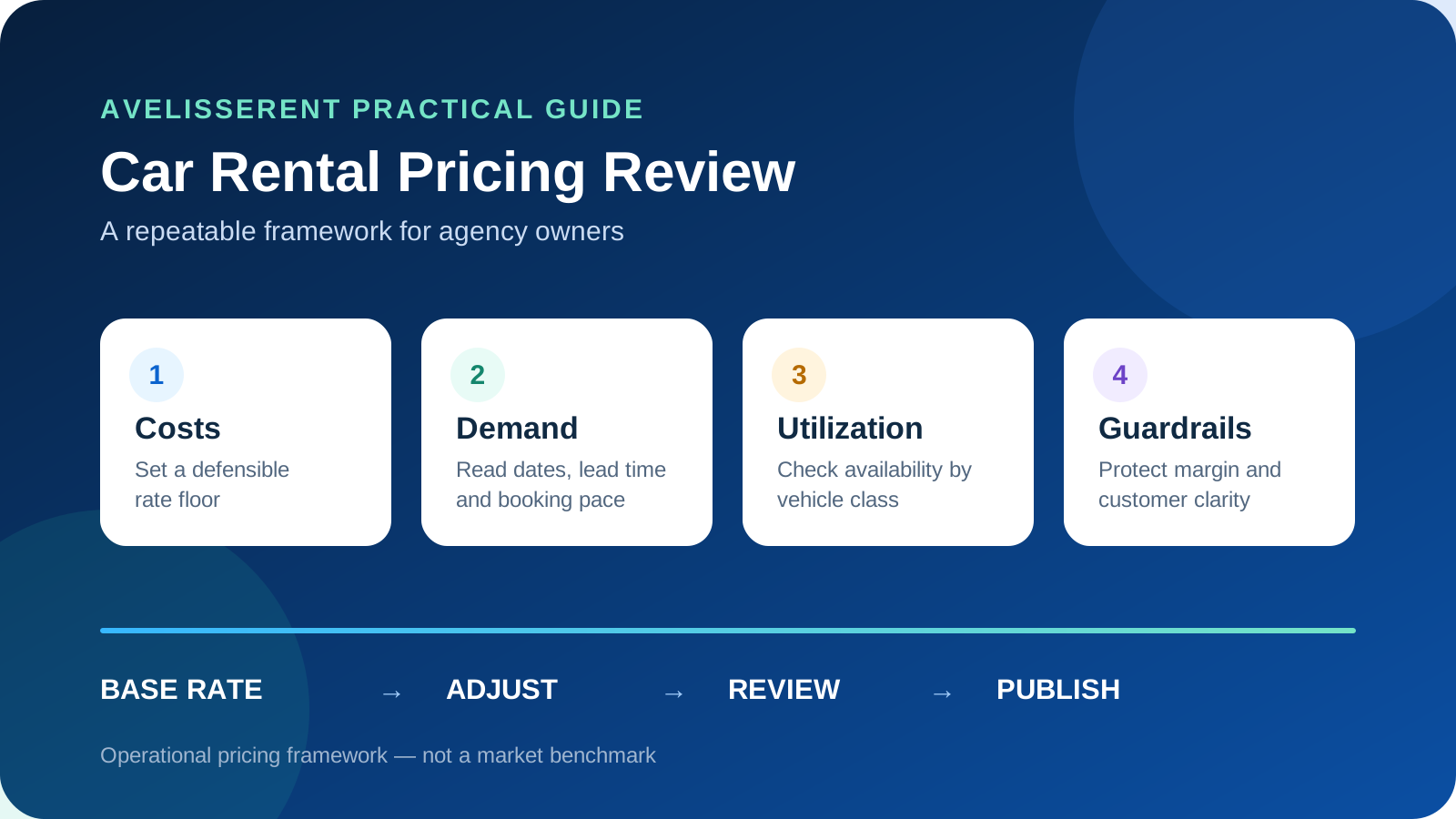
Pricing is another utilization lever: when one class repeatedly sells out while another stays idle, use a documented car rental pricing strategy to review rates alongside availability instead of making isolated counter decisions.
Build maintenance into your planning
Instead of taking cars out of service only when something breaks, plan:
- Regular inspections based on mileage or rental count.
- Seasonal checks before winter or summer peaks.
- Cleaning standards and time estimates by vehicle type.
In AvelisseRent’s fleet management, you can mark vehicles as unavailable for maintenance, ensuring they don’t appear in new bookings while still being visible internally.
Balance long-term and short-term rentals
Long-term bookings offer stability but reduce flexibility. To avoid disappointing short-term customers during busy periods:
- Decide which vehicle groups you’re comfortable locking into long-term rentals.
- Reserve a portion of the fleet for higher-margin short-term bookings.
- Monitor how often you turn away bookings for lack of availability in key categories.
Analytics in AvelisseRent can help reveal which segments are profitable to prioritize and where you’re frequently fully booked, so you can adjust pricing, acquisition, or booking rules.
Streamline Pickup, Return, and Documentation
Even if your scheduling is perfect, sloppy pickup and return workflows can undo the experience. Long lines, unclear charges, and missing signatures are common sources of stress.
Create a consistent desk checklist
Standardizing what happens at the counter makes your operation more predictable for staff and customers. At minimum, define:
- Pickup
- Verify customer identity and driver’s license.
- Confirm booking details (dates, vehicle, extras, mileage rules, deposit).
- Walk around the vehicle and record damages.
- Review and sign the rental contract.
- Collect deposit or final payment as per policy.
- Return
- Check return time vs. booking time.
- Inspect fuel, mileage, and damages.
- Finalize charges and issue invoice.
- Release or adjust the deposit according to your policy.
With AvelisseRent, staff can access the booking, customer record, contract, and invoice from one place, so they’re not switching between systems or retyping data while customers wait.
Keep customer and vehicle history at your fingertips
When a frequent customer arrives, being able to see past bookings, preferences, and issues can reduce friction:
- Recognize good customers and act with flexibility where appropriate.
- Spot repeated damage patterns or risky behavior.
- Review previous invoices and contracts during disputes.
AvelisseRent’s customer records and booking history give staff that context quickly, which is especially useful on busy days when nobody has time to dig through paper files.
Clarify Payments, Deposits, and Extras Before There’s a Problem
Money-related surprises damage trust more quickly than almost anything else. If you want to maintain high utilization without complaints, customers need to understand what they’ll pay and when.
Define simple, consistent rules
Wherever possible, make payment policies easy to communicate and enforce:
- One clear approach to deposits (e.g., per vehicle group or per booking type).
- Transparent mileage rules and clear examples (e.g., what happens if they exceed the limit).
- Well-defined late return fees and grace periods.
- All mandatory fees and extras listed before checkout.
These details should match across your website, contracts, and invoices.
Make online payment as smooth as possible
Offering online payments can reduce no-shows and speed up pickups, but only if the process is reliable. With AvelisseRent, you can connect Stripe to accept online payments through your branded booking website, ensuring:
- Customers see a single, consistent payment experience.
- Payments are tied to the correct reservation, invoice, and customer record.
- Staff can quickly see which bookings are paid, partially paid, or pending.
When everything is unified, you avoid situations where your desk team and customers argue over what was already paid online vs. what’s still owed.
Use Your Online Presence to Reduce Operational Pressure
Smart use of your public website can remove many repetitive questions and reduce counter workload, especially during peaks.
Publish a clear, informative fleet and pricing structure
Customers who understand what they’re booking ask fewer questions later. Consider:
- A public fleet page showing categories, example vehicles, and key specs.
- Indicative pricing ranges or scenarios for common durations.
- What’s included by default vs. what counts as an extra.
With AvelisseRent, you can present your fleet on public pages linked from your branded website, keeping information accurate and aligned with your real availability. You can start exploring the platform from the AvelisseRent home.
Optimize your booking website for clarity
Good UX on your website does more than convert visitors – it shapes their expectations. Make sure that:
- Date and time pickers are clear and prevent impossible combinations.
- Location rules are visible (e.g., pickup at one branch, return at another).
- Policy summaries are easy to find during booking, not just in small print.
- Confirmation emails restate key rules in the customer’s language.
AvelisseRent supports multi-language storefronts and email settings, helping agencies present terms and confirmations in the languages their customers actually use, reducing misunderstandings at pickup.
Putting It All Together
Balancing utilization and experience is about making fewer promises you can’t keep, and consistently delivering on the ones you do make. The building blocks are:
- Honest availability based on real-time fleet status and maintenance.
- Standardized booking data so staff never guess at the counter.
- Predictable pickup and return workflows that work even on your busiest days.
- Clear financial rules that match across website, contract, and invoice.
- Well-designed online journeys that reduce questions and disputes.
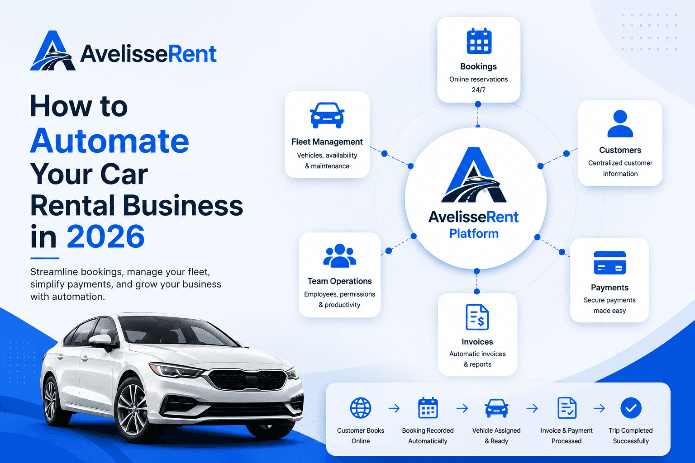
Software alone won’t fix a broken process, but the right tools make it much easier to enforce the standards you decide on. AvelisseRent brings your website, fleet, bookings, contracts, customer records, invoices, and analytics into one environment so you can manage that balance more confidently.
Frequently Asked Questions
How do I know if my utilization rate is too high?
Utilization is “too high” when it regularly forces you to break promises: frequent last-minute swaps, long waits at pickup, or inability to accommodate reasonable customer requests. If staff are constantly scrambling to find cars or adjust bookings, your effective utilization has gone past a healthy point, even if the percentage looks impressive on paper.
What’s a reasonable buffer between return and next pickup?
It depends on your fleet and cleaning standards, but many agencies use 60–120 minutes. Consider your average cleaning time, inspection thoroughness, and branch layout. Build that buffer into your booking rules so customers can’t book back-to-back slots that your team can’t reasonably support.
Should I promise specific vehicles or just categories?
Promising categories gives you more flexibility when utilization is high. Promise specific cars only when you’re confident in your capacity and have backups in that category. AvelisseRent lets you manage reservations by vehicle or category so you can choose the model that fits your operation.
How can I reduce disputes about final invoices?
Align your website, contract, and invoice so they all use the same structure and wording for prices, extras, and fees. Send a detailed confirmation at booking, walk through the key points at pickup, and make sure the final invoice matches exactly what was agreed unless something changed (e.g., mileage, damage, extra days). Using AvelisseRent helps keep pricing logic consistent from reservation through invoice.
What’s the benefit of online payments for a busy rental operation?
Online payments reduce no-shows, shorten pickup times, and make it easier to enforce your policies. When linked to your booking system – as with AvelisseRent’s Stripe integration – payments are automatically attached to the correct reservation and invoice, so there’s less confusion about what has already been paid.
Can better website information really reduce desk workload?
Yes. Customers who understand availability, pricing, and rules before booking ask fewer questions and are less likely to argue at pickup. A clear fleet presentation, booking form, and policy overview on your site can remove a surprising amount of repetitive work from your front desk, especially during peaks.
Manage Your Rental Business With AvelisseRent
If you’re trying to keep your fleet busy without burning out your team or upsetting customers, it helps to manage everything in one place. AvelisseRent gives car rental agencies:
- Branded booking websites with customizable reservation forms.
- Public fleet pages tied directly to real availability.
- Centralized booking, fleet, customer, contract, invoice, and analytics tools.
- Multi-language storefronts and Stripe-powered online payments.
See how this could look for your operation by exploring our demo workspace or reviewing options on the Pricing page.
Related AvelisseRent Guides
- Overview of how AvelisseRent supports modern car rental agencies
- Presenting and managing your fleet with accurate availability
- Evaluating AvelisseRent for your rental operation
- Contact AvelisseRent for sales or implementation questions
Related Articles
- Building a Consistently Great Car Rental Experience From First Click to Final Invoice
- How to Fix the Most Common Customer Experience Gaps in Your Car Rental Agency
- Designing a Frictionless Online Booking Workflow for Your Car Rental Agency
- From Misunderstandings to 5‑Star Reviews: Practical Communication Systems for Car Rental

Mohamed Elazzabi
Founder & CEO of Avelisse Labs LLC | SaaS & App Developer | Content Creator
I'm Mohamed Elazzabi, Founder and CEO of Avelisse Labs LLC Launching AvelisseRent SaaS platform built to help car rental businesses simplify and automate their daily operations. I create content about car rental business growth, digital transformation, automation, SaaS, and technology, sharing practical ideas to help rental agencies work smarter, reduce manual tasks, improve customer experience, and grow their business. Building smarter tools for modern car rental businesses.