Rental operations
Run daily rental work from one connected system
Coordinate bookings, contracts, invoices, maintenance, customers, and reporting without splitting work across disconnected tools.
Start your free trial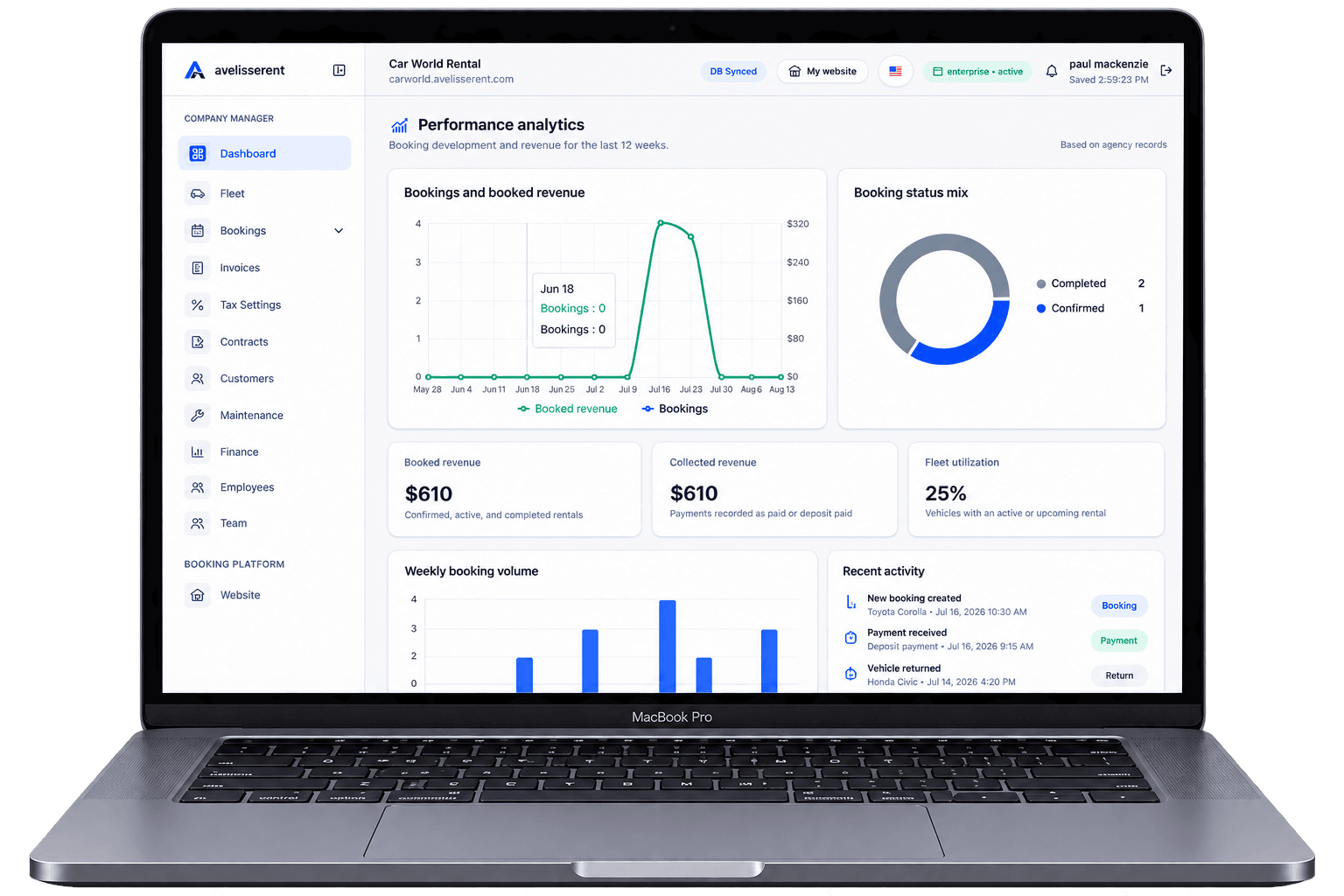
Your phone is ringing, WhatsApp is buzzing, and your team is chasing down booking details across spreadsheets and paper contracts. A busy day is good news—until a double booking, wrong vehicle category, or missed deposit turns that busyness into refunds and angry customers.
That gap between “we have demand” and “we can reliably capture and manage it” is exactly where the right car rental reservation software matters.
This guide focuses on what to look for specifically in reservation software in 2026: how bookings are captured, confirmed, updated, and turned into clean operations and payments.
What “Car Rental Reservation Software” Should Actually Do
Before comparing platforms, it helps to define the job of reservation software. After reading this article, you should know how to choose a system that reliably turns interest into confirmed, well-documented bookings your team can execute without confusion.
At minimum, good reservation software should:
- Capture reservations from your website and staff-created bookings
- Prevent impossible bookings (no more double-booked vehicles)
- Record key rental details (vehicle, dates, driver info, pricing, deposit, extras)
- Communicate clearly with customers by email about their booking
- Support payments (especially deposits and online card payments)
- Connect reservations with contracts, invoices, and fleet availability
Everything else—nice dashboards, graphs, or advanced features—only matters if this reservation foundation is solid.
1. Booking Experience: How Customers Actually Reserve a Vehicle
A lot of software demos focus on back-office screens, but your revenue depends on how easily a customer can make a reservation.
Key questions to ask
- Is there a branded booking website or page you can configure with your logo, colors, and content?
- Does the booking form show real vehicle availability for selected dates and location?
- Can customers see clear pricing (base rental, extras, fees, estimated total) before confirming?
- Is the booking flow short and logical (dates → vehicle → extras → driver info → payment)?
- Does it work well on mobile, where many last-minute bookings happen?
An effective reservation flow removes friction from the online booking process. For a deeper dive on booking UX, see Designing a Frictionless Online Booking Workflow for Your Car Rental Agency.
Practical evaluation workflow
- Create a test account or ask for a sandbox from the vendor.
- Set up a few vehicles and daily rates.
- Run through a full booking on your phone—from date selection to confirmation email.
- Ask yourself: would a first-time customer understand this without calling us?
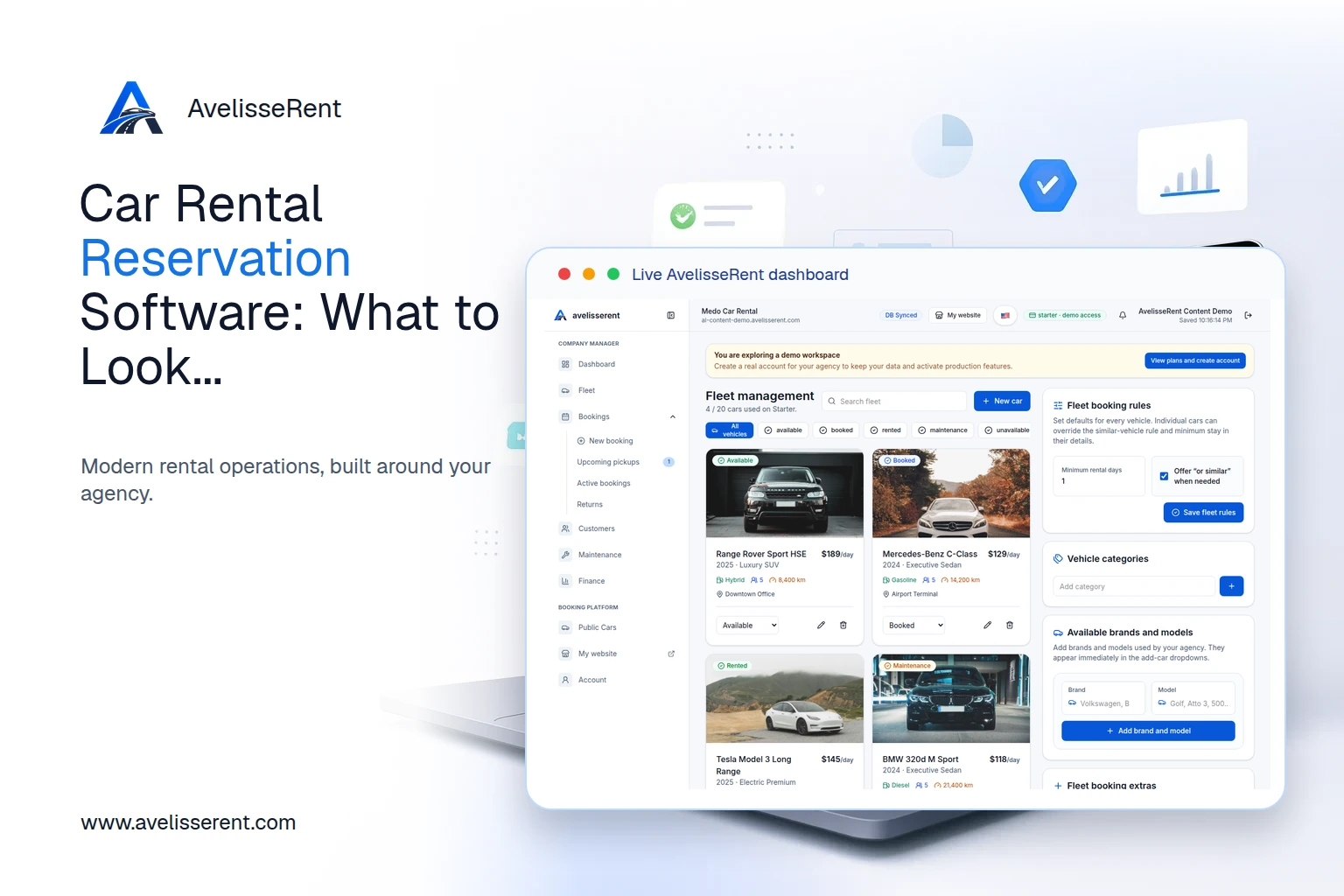
With AvelisseRent, agencies can configure a branded booking website and public fleet page directly from the platform, using their own domain and content while keeping the booking experience focused and simple. You can preview how this feels for customers using the AvelisseRent home site as a starting point and exploring the product from there.
2. Reservation Data: Capturing Every Detail Your Team Needs
Many operational headaches start with incomplete or inconsistent booking information. Your reservation software should guide staff and online customers to provide everything your team needs to deliver the rental.
Information your system should capture
- Pickup and return dates and times
- Pickup and drop-off locations (especially if you serve multiple sites)
- Vehicle category or specific unit
- Customer details (name, contact info; additional driver fields if you require them)
- Pricing structure (daily/weekly rate, discounts, extras, fees)
- Deposit amount and conditions
- Notes or special requests (e.g., child seats, late night pickup)
Why this matters operationally
If your team is still calling customers after booking to ask basic questions, your software is pushing work downstream instead of capturing it upfront. That increases staff workload and creates space for misunderstandings about pricing or conditions.
How AvelisseRent approaches reservation data
AvelisseRent stores reservation records, customer records, and vehicle records in one place. When a booking is created, it links to:
- The chosen vehicle from your fleet list
- The customer profile (new or existing)
- Pricing based on your configured rates and extras
This makes it easier for your team to see the full context of any reservation without switching tools.
3. Availability & Overbooking Protection
Double-booked vehicles and over-committed inventory are among the most common—and costly—reservation problems.
Minimum capabilities to expect
- Real-time availability that updates when reservations are created, modified, or canceled
- A calendar or planning view that shows reservations by vehicle and date
- Simple rules to prevent overlapping bookings for the same vehicle
- Visibility into maintenance or blocked out periods that remove vehicles from availability
Simple utilization check
When testing a system, try this workflow:
- Book the same vehicle for overlapping dates.
- See whether the system allows it, warns you, or blocks it.
- Mark the vehicle as unavailable (e.g., maintenance) and confirm it disappears from the online booking flow.
If the system happily accepts overlapping bookings without a clear warning, plan for manual controls—or consider a different tool.
AvelisseRent combines fleet management and booking management, so vehicles marked unavailable (for example, during maintenance) are not offered for those dates in your booking flow. That reduces the risk of human error turning into a customer dispute.
4. Payments, Deposits, and Invoices Connected to Reservations
Reservation software that doesn’t handle payments well often forces agencies into messy workarounds: card details in notes, manual payment links, or separate invoicing tools that don’t match reservation data.
What to look for
- Online card payments for deposits and, if useful for your model, full prepayments
- Clear payment status on each reservation (e.g., not paid, deposit paid, fully paid)
- Invoices generated from reservation data, not manually re-entered
- Refund and adjustment support aligned with your provider and policies
When card payments are involved, requirements can vary by jurisdiction and payment provider. It is usually safer to rely on your provider’s recommended flow for capturing deposits and processing refunds.
Evaluating payment workflows in practice
- Create a test reservation and pay a deposit using a test card.
- View the resulting invoice or payment record. Is the breakdown clear for both staff and customer?
- Try editing the reservation (e.g., extending dates) and see how the system handles price changes.
AvelisseRent supports online payments via Stripe, connecting payments to specific reservations, invoices, and customers. That gives you a single place to review who has paid what, without copying values across tools.
5. Contracts, Policies, and Customer Communication
Good reservation software is also a communication tool. It should help you set expectations early and document agreements clearly.
Non‑negotiable capabilities
- Booking confirmation emails that include dates, locations, vehicle, pricing summary, and key conditions
- Configurable rental contracts that pull in reservation data automatically
- Easy access to past reservations and documents from the customer record
Disputes often come from unclear or poorly communicated policies around fuel, mileage, deposits, and damages. While exact policy wording should be checked with your legal or insurance partners, your software should at least make it easy to apply the same agreed conditions consistently across reservations.
Example: Clear confirmation email elements
- “Reservation number: [#]”
- “Pickup: [date, time, location]”
- “Return: [date, time, location]”
- “Estimated charges: [rental, extras, fees, deposit]”
- “Important policies: [link or short summary]”
AvelisseRent links reservations, contracts, and invoices together, so staff can open a booking and view its related documents and customer details in one place instead of searching through separate systems.
6. Day‑to‑Day Operations: How Your Team Will Actually Use It
The right reservation software should reduce the number of tools your team needs to touch to handle a rental from first inquiry to final invoice.
Questions to discuss with your staff
- How easy is it to create or edit a booking by phone while talking to a customer?
- Can front‑desk staff see today’s pickups and returns at a glance?
- Is it simple to add extras or adjust pricing when a customer changes plans?
- How quickly can staff find a customer’s history if there’s a question or dispute?
During trials, let different team members use the system for a few days. Their feedback on navigation, clarity, and workload is just as important as a feature checklist.
AvelisseRent is built for agencies that want booking management, fleet status, customer records, and invoices in one place. That helps keep your operational view of the day consistent—from calendar to key handover.
7. Customization, Branding, and Languages
Reservation software sits directly in front of your customers, so it should feel like part of your brand and work in the languages your customers expect.
Look for options to
- Customize your booking site with your logo, colors, and content
- Use your own domain or a subdomain that matches your brand
- Support multiple languages if you serve tourists or multilingual markets
- Adjust email templates to match your tone and policies
AvelisseRent supports website customization, domain/SEO settings, email settings, and multi‑language agency storefronts, so agencies can present a consistent brand while using standard reservation workflows under the hood.
Putting It All Together
Choosing car rental reservation software in 2026 is less about chasing the longest feature list and more about getting the fundamentals right:
- A clear, mobile-friendly booking flow that customers trust
- Complete reservation data captured once, then reused everywhere
- Reliable availability control that protects you from double booking
- Integrated payments, invoices, and contracts tied to each reservation
- Operational views that match how your team works day to day
- Branding and language options that fit your market
When you evaluate vendors, run realistic test scenarios: simulate real bookings, changes, cancellations, and busy days. Involve staff from front desk to management. The right system should make reservations clearer for everyone, not just management.
If you are comparing different types of platforms, you may also find it helpful to read Car Rental Booking Software: Complete Guide for Rental Companies and Best Car Rental Software in 2026: What Actually Matters for Your Agency.
Frequently Asked Questions
What is the difference between reservation software and full car rental management software?
Reservation software focuses on capturing and managing bookings (dates, vehicles, customers, payments). Management software usually adds deeper fleet management, maintenance tracking, reporting, and sometimes integrations with other tools. Some platforms, including AvelisseRent, combine both reservation and management capabilities, but it is still useful to evaluate how well each part works.
How much should I expect to change my processes for new reservation software?
Most agencies need some process changes—for example, capturing more data at booking or directing all online inquiries to the booking website. However, you should not have to redesign your business entirely. During trials, check whether the system can support your key policies and workflows, such as deposit rules and mileage limits, without complex workarounds.
Can I use reservation software if some customers still book by phone or walk‑in?
Yes. A practical system should let staff create reservations on behalf of customers using the same forms and pricing logic as online bookings. That way, all reservations end up in one calendar and vehicle availability is reliable regardless of booking channel.
What if I already have a website?
Many agencies keep their existing website for marketing content and link the “Book Now” button to the reservation software’s booking page or widget. Look for systems that support configuration on your own domain or subdomain, plus SEO and basic website customization settings, so the transition for customers feels natural.
How do I know if a reservation system is secure and compliant?
Security and compliance depend on the vendor, payment provider, and regulatory environment. For card payments, it is usually safer to use a well-known payment provider and follow their guidance. Ask potential vendors how payments are handled, where data is stored, and what controls they provide for user access and audit trails. If you have specific legal or compliance requirements, review them with your advisors before committing.
When is the right time to move off spreadsheets and manual booking?
Common triggers include frequent overbooking risk, growing fleet size, multiple locations, or staff struggling to find accurate information quickly. If you are regularly re‑checking availability manually or spending a lot of time fixing errors, moving to structured reservation software can reduce risk and support growth.
Related AvelisseRent Guides
- Designing a Frictionless Online Booking Workflow for Your Car Rental Agency
- Car Rental Booking Software: Complete Guide for Rental Companies
- Building a Consistently Great Car Rental Experience From First Click to Final Invoice
- How to Fix the Most Common Customer Experience Gaps in Your Car Rental Agency
Related Articles
- Best Car Rental Software in 2026: What Actually Matters for Your Agency
- Best Car Rental Management Software in 2026
- How to Choose the Right Car Rental Software for Your Business (2026 Guide)
Manage Your Rental Business With AvelisseRent
If you are evaluating car rental reservation software right now, AvelisseRent offers:
- A branded booking website with public fleet pages and online reservation forms
- Integrated booking management, fleet management, customer records, contracts, and invoices
- Online payments through Stripe, connected to specific reservations and invoices
- Multi‑language storefront support and customizable website and email settings
You can explore how these pieces work together in a live environment by visiting our Demo workspace. When you are ready to compare plans and see what fits your agency size and needs, visit the Pricing page. If you prefer to discuss your situation with a person, you can always reach out via our Contact page.

Mohamed Elazzabi
Founder & CEO of Avelisse Labs LLC | SaaS & App Developer | Content Creator
I'm Mohamed Elazzabi, Founder and CEO of Avelisse Labs LLC Launching AvelisseRent SaaS platform built to help car rental businesses simplify and automate their daily operations. I create content about car rental business growth, digital transformation, automation, SaaS, and technology, sharing practical ideas to help rental agencies work smarter, reduce manual tasks, improve customer experience, and grow their business. Building smarter tools for modern car rental businesses.