Browse Getting Started
Website settings stores the public identity and operational details customers see before they submit a booking. Complete this page before publishing vehicles or promoting the website.
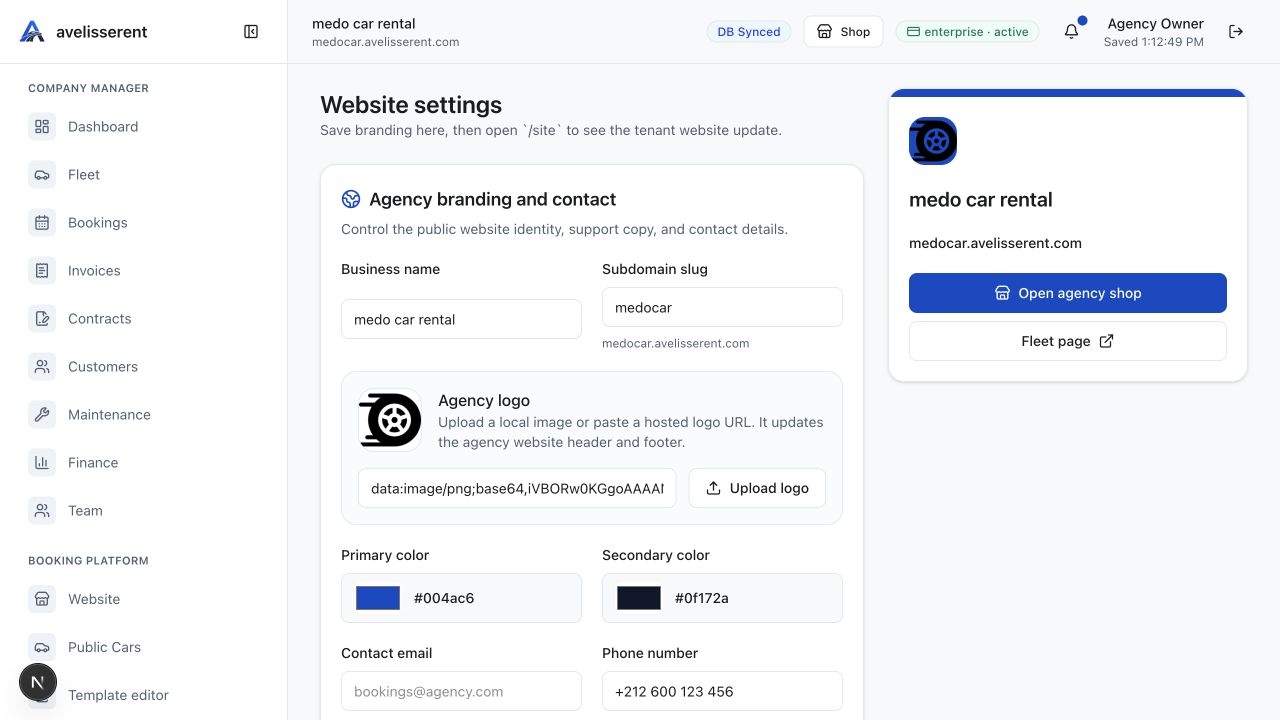
Agency branding and contact
Use Agency branding and contact to manage the public website identity, support copy, and contact details. The verified fields are Business name, Subdomain slug, Agency logo, Primary color, Secondary color, Contact email, Phone number, WhatsApp number, Business address, Contact headline, Website description, and Contact page message.
Use Upload logo for the agency logo and Save branding after changing public identity or contact fields. Tax, currency, and legal identity settings are handled from Tax Settings.
Online booking payment
Choose between Request booking only and Require online payment. When online payment is required, set the payment amount policy, additional rates, default rate, remaining balance collection, customer choice, and secure payment badge. Save changes with Save payment policy.
Units, map, and pickup places
Set mileage and distance units, fuel volume units, date format, and time format, then use Save units. For location, configure Map place label, Google Maps iframe or link, Latitude, and Longitude, then use Save map location. Add pickup places such as airport desks or office counters with Add place.
Reservation and website controls
Reservation requirements include Request ID card or passport number and Enable booking confirmation workflow. Website controls include public menu links, WhatsApp button, vehicle share buttons, favorite buttons, vehicle rating bar, and booking extras or add-ons. Save these settings before testing the booking form.
Legal pages and template
Complete Terms of Use, Privacy Policy, Cancellation Policy, and Refund Policy. Then select the public booking website template that matches the agency plan.
Was this article helpful?
Your feedback helps improve official AvelisseRent documentation.