Browse Getting Started
The signup form creates the agency workspace and owner access. AvelisseRent presents it as Start your agency workspace and explains that the owner must verify their email before opening the 7-day trial.
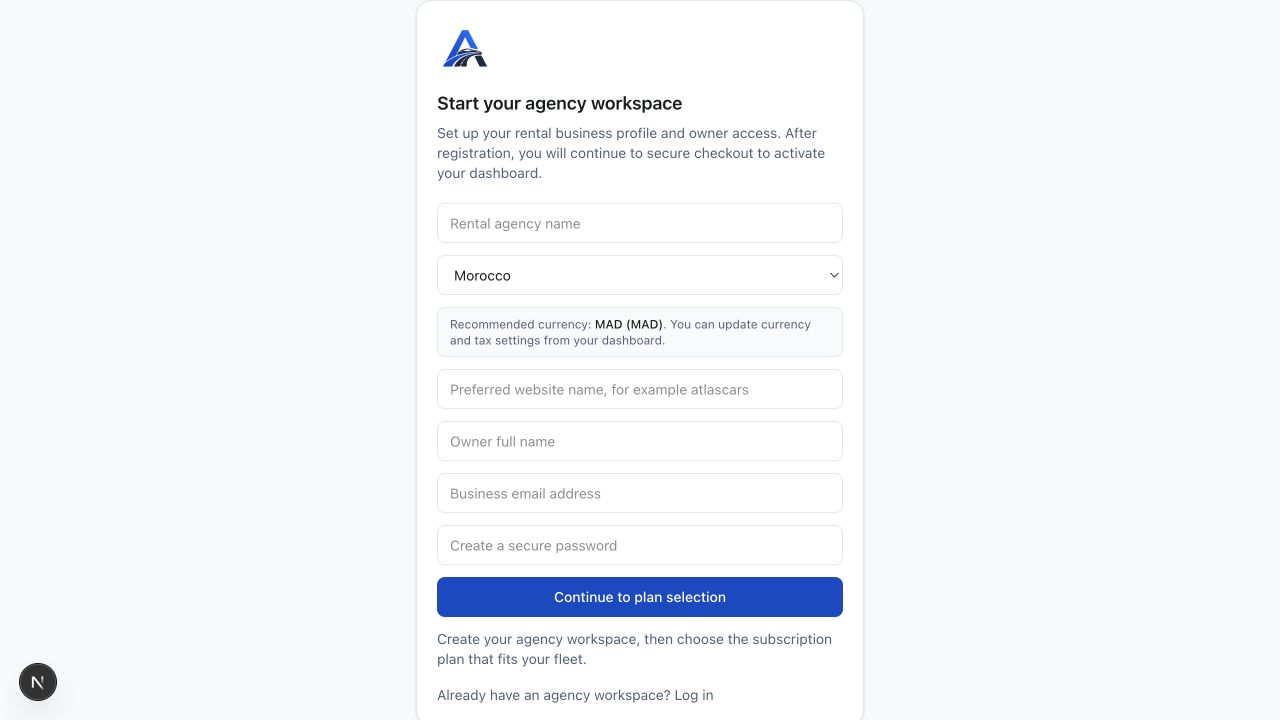
Signup fields
- Rental agency name: the business name used for the workspace.
- Country: sets the recommended currency and legal labels shown during setup.
- Preferred website name: the public website slug, for example atlascars.
- Owner full name: the person creating the agency workspace.
- Business email address: the email used for owner login and verification.
- Create a secure password: must be at least 8 characters.
Create the workspace
- Fill in every signup field.
- Confirm that you are authorized to create the agency workspace and accept the Terms of Use and Privacy Policy.
- Select Create account and verify email.
- Open the verification email sent to the business email address.
- After verification, log in and continue setup from the dashboard.
Validation notes
AvelisseRent asks for every signup field, a valid business email address, a password of at least 8 characters, and a website name of at least 2 characters.
Was this article helpful?
Your feedback helps improve official AvelisseRent documentation.