Browse Payments
When Require online payment is enabled and the agency has a connected Stripe account, the public booking form changes from request-only submission to secure payment checkout.
Booking form payment summary
The form shows Total rental, Deposit due now, and Remaining balance. If customer choice is enabled and more than one payment percentage is available, the customer sees Payment required today and can choose an allowed percentage.
Submit button
When payment is required, the booking form button says Continue to secure payment. If payment is not required, it says Send booking request.
Stripe verification
AvelisseRent recalculates the final rental total on the server before sending the customer to Stripe Checkout. The payment is made to the agency's connected Stripe account.
Reservation hold
For payment-required bookings, AvelisseRent holds the booking while the customer completes checkout. If another active hold or booking overlaps the same vehicle and dates, checkout is blocked.
Reservation progress
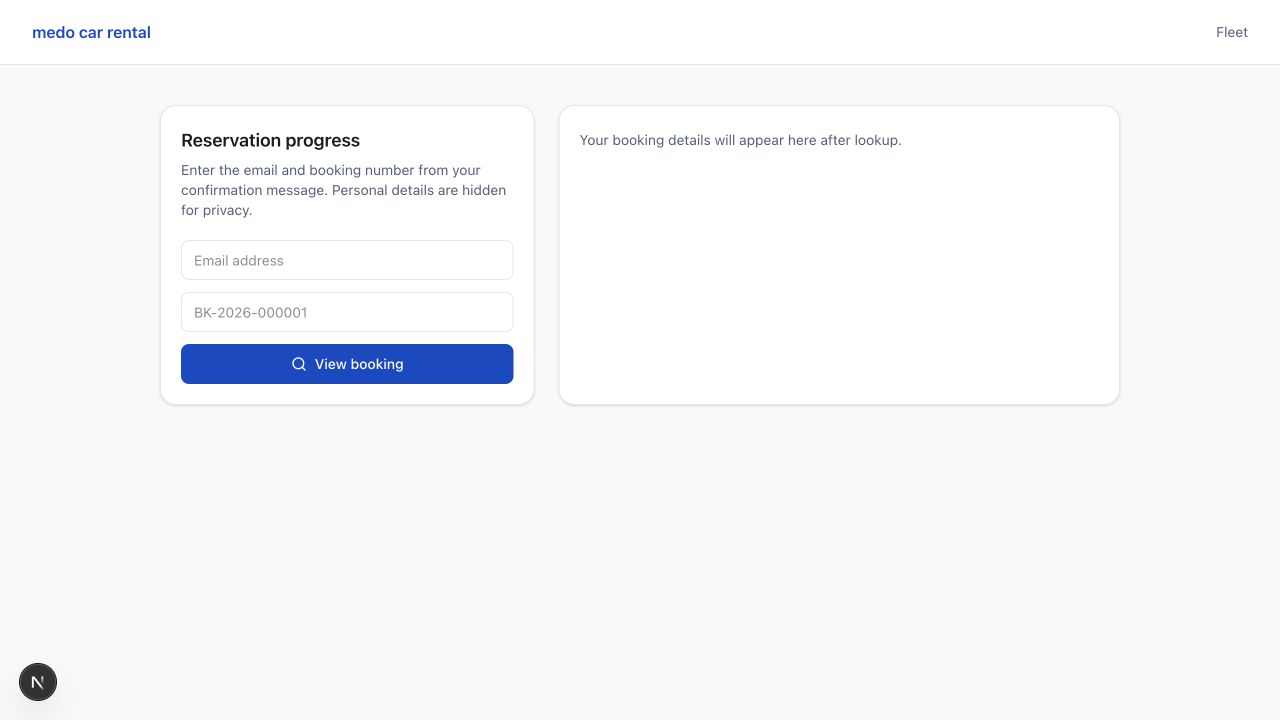
Customers can return to Reservation progress with their email address and booking number to review payment state, remaining balance, rental details, and booking timeline.
Was this article helpful?
Your feedback helps improve official AvelisseRent documentation.