Browse Booking Management
Customers can use the public reservation page to check protected booking details without entering the dashboard.
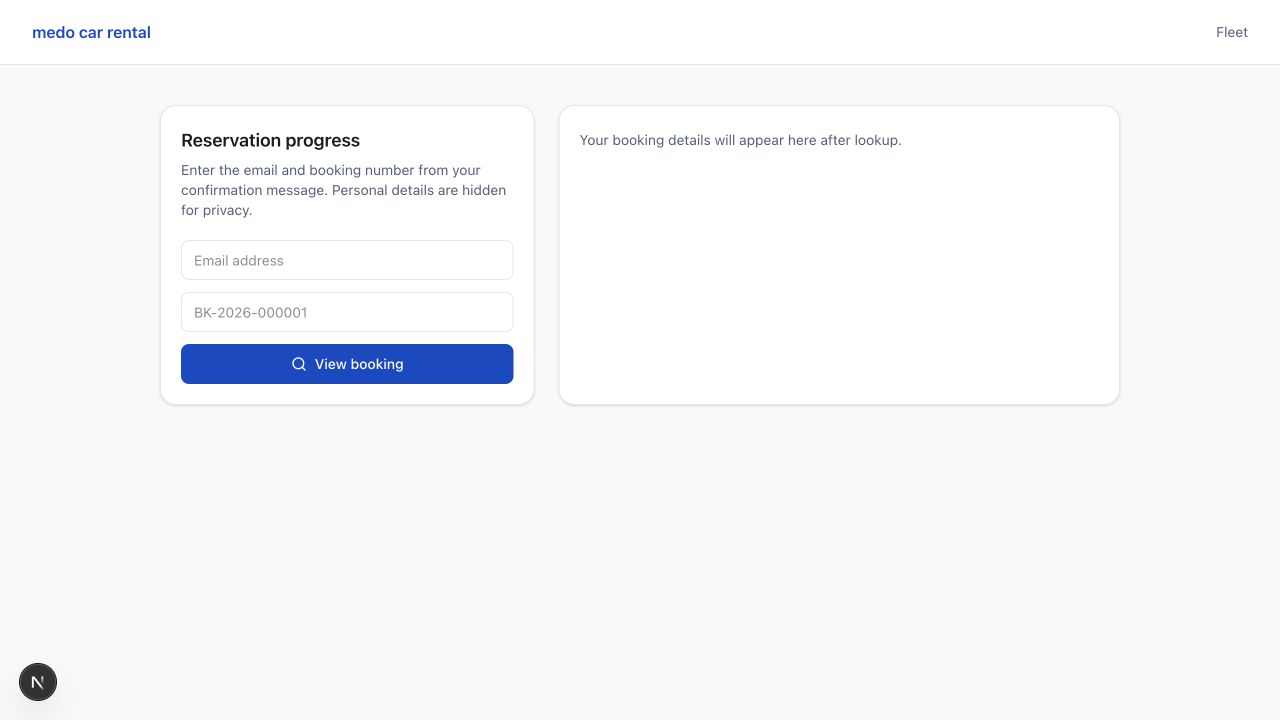
Customer lookup fields
The Reservation progress panel asks for Email address and a booking number such as BK-2026-000001. Customers select View booking to load their protected booking summary.
What customers see
- Booking number and current status.
- Progress steps such as Awaiting payment, pending, confirmed, active, and completed.
- Customer, email, phone, vehicle, pickup date, return date, pickup location, and return location.
- Payment status, amount due or paid today, remaining balance, remaining payment method, rental days, subtotal, selected extras, taxes, and total.
- Status timeline with notes.
- Agency contact phone, email, and Contact page link.
Payment messages
If a booking is payment_pending, the page explains that the reservation is held while payment is completed. After Stripe verifies payment, the agency can review and confirm the booking.
Privacy note
The page asks for the customer email and booking number because personal booking details are protected. Do not share a customer booking number publicly.
Was this article helpful?
Your feedback helps improve official AvelisseRent documentation.